Telegram does two things for you: a chat button on your site, and a notification on your phone when someone books. Both run through your own bot — the conversations are yours, and we never see them.
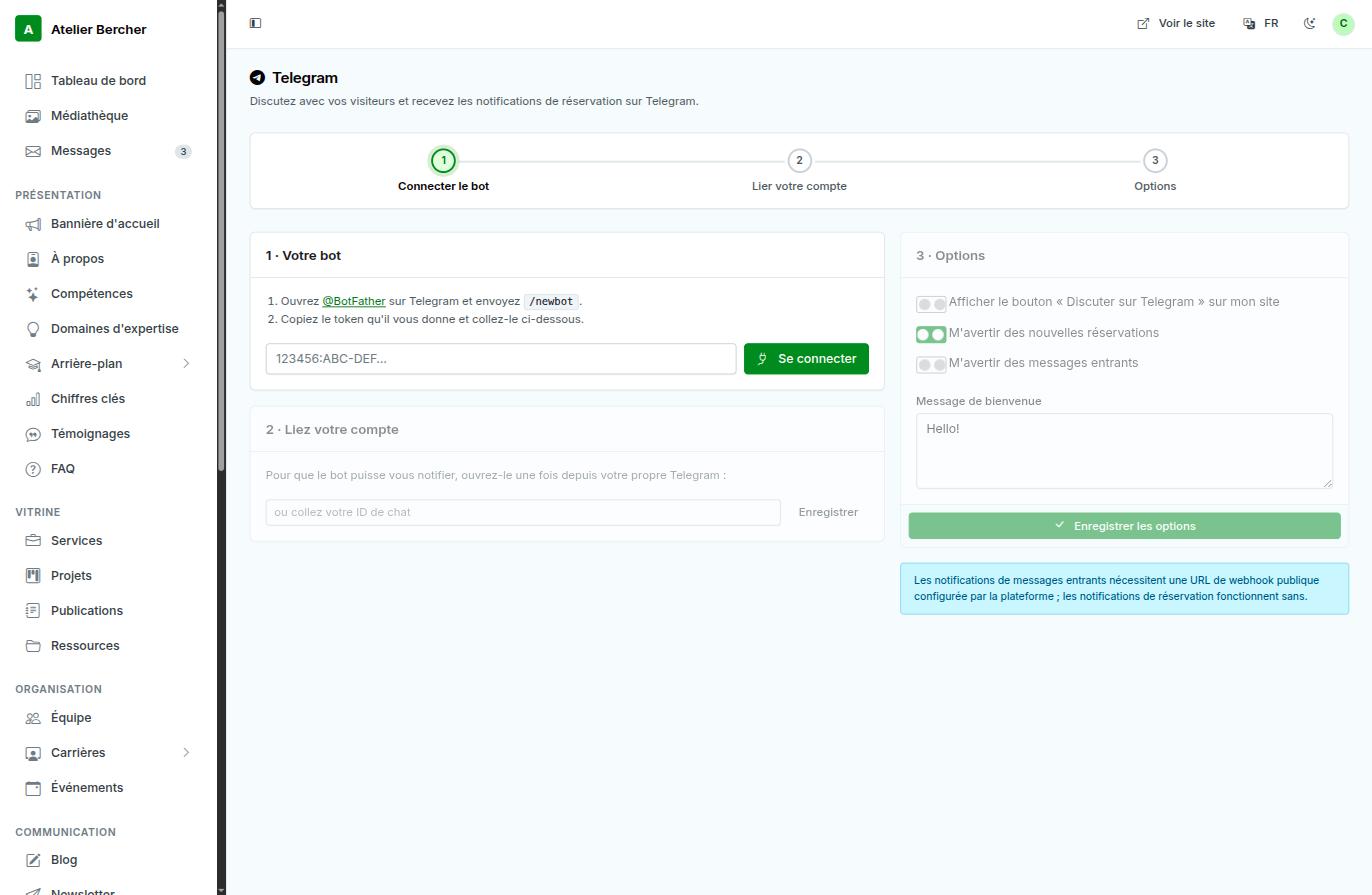
Step 1 — create your bot
- Open @BotFather in Telegram and send
/newbot. - It asks for a name, then gives you a token that looks like
123456:ABC-DEF…. - Paste it in the console and press Connect.
Step 2 — link your own account
The bot cannot write to you until you have written to it once. Open your bot in Telegram and send it anything; the console picks up your chat identifier. This step is what people skip, and then wonder why no alert arrives.
Step 3 — choose what it does
- Show the chat button on your site — visitors write to you in one tap.
- Notify me of new bookings — works as soon as the bot is connected.
- Notify me of incoming messages — this one needs a public webhook configured on our side; the console tells you so on the screen rather than failing silently.
The token is a password: anyone holding it can act as your bot. If you paste it in the wrong place, send
/revoketo @BotFather and connect the new one.